Sublime Text uzun yıllar boyunca masaüstü kod editörleri için altın standart olmuştur. Her şeyden daha hızlı açılıyordu, çok imleçli düzenleme süper bir güç gibi hissettiriyordu ve minimalist ara yüz engel olmuyordu. Fakat tek seferlik lisans modeli aboneliğe dönüştü, eklenti bakımı yeni ekosistemlerle karşılaştırıldığında yavaşladı ve Rust ve Go’da yazılan yeni editörlerin bir dalgası şimdi hızıyla eşleşiyor ancak yerleşik LSP, daha iyi Git entegrasyonu ve aktif paket toplulukları sağlıyor.
Eğer Sublime Text ile uzun süre çalıştıysanız ve artık bir şeyler doğru gelmiyorsa, bu yedi alternatif tüm senaryoları kapsar: IDE seviyesi deneyim isteyen mühendis, terminal taraftarı, aynı anda beş dili konan poliglot geliştirici ve sadece konfigürasyonun saatlerce yapılmasına gerek kalmadan ilk günden çalışan hızlı bir editör isteyen kişi.
Windows 11, macOS Sequoia ve Ubuntu 24.04 üzerinde gerçek projeler karşısında her birini test ettik: TypeScript monorepo, Python veri boru hattı ve 400.000 satırlık C++ kod tabanı.
Hızlı karşılaştırma
| Editör | En iyi | Ücretsiz | Ücretli başlangıç | Öne çıkan özellik |
|---|---|---|---|---|
| VS Code | Çoğu geliştirici | Evet (her zaman ücretsiz) | Ücretsiz | 50.000+ uzantı, GitHub Copilot entegrasyonu |
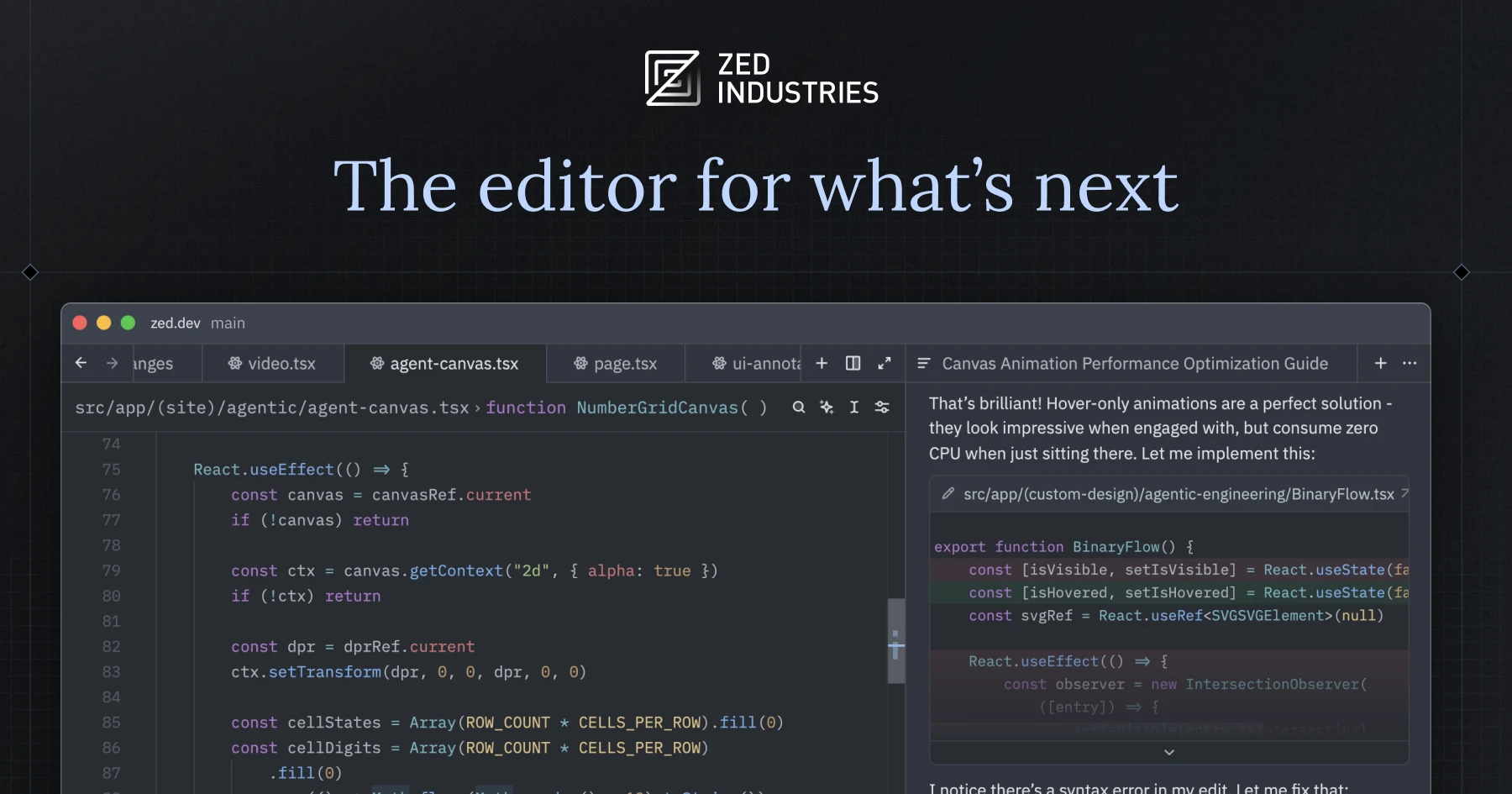
| Zed | Büyük depolardaki hız | Evet | Ücretsiz | Yerel multiplayer, GPU hızlandırmalı render |
| Neovim | Klavye-birinci, terminal | Evet | Ücretsiz | Lua aracılığıyla tamamen scriptkodu, devasa eklenti ekosistemi |
| JetBrains Fleet | Poliglot, ekip ortamları | Evet (sınırlı) | ~8$/ay | Talep üzerine IDE seviyesi zekâ ile Smart Mode |
| Helix | Modal düzenleme, sıfır konfigürasyon | Evet | Ücretsiz | Yerleşik LSP ve tree-sitter, konfigürasyon gerekmez |
| Lapce | Hafif yerel değişiklik | Evet | Ücretsiz | Yerel Rust, WASM eklenti sistemi, hızlı soğuk başlangıç |
| GNU Emacs | Derin özelleştirme | Evet | Ücretsiz | Org-mode, onlarca yıl paket, sınırsız genişletilebilir |
Geliştirici neden Sublime Text'ten ayrılıyor
Editörün kendisi hala hızlı. Bu problem değil. Geliştiriciyi zorlayan şey çevresindeki ekosistemdir.
Lisans modeli değişimi. Sublime Text, sürüm 4 ile $99 perpetual lisansından $99/yıl aboneliğe geçti. Birçok uzun süreli kullanıcı zaten sürüm 3 için ödedi ve küçük güncellemeler için yıllık ödemeye sinirlenmiş. Reddit r/SublimeText kullanıcıları bunu alternatifleri keşfetmeye başlamanın ana nedeni olarak alıyorlar.
Eklenti ekosistemi çöküşü. Package Control, Sublime’ın eklenti yöneticisi binlerce paketi barındırıyor ancak önemli bir kısmı bakımsız. TypeScript, Python ve Rust’ı aynı anda ele alan güvenilir bir LSP kurulumunu bulmak hala birden fazla paketi birleştirmeyi ve JSON konfigürasyon dosyalarını düzenlemeyi gerektiriyor. VS Code ve Neovim kullanıcıları bunu kutusundan veya iki komutla alıyor.
Yerel multiplayer veya bulut senkronizasyonu yok. Uzak işbirliği artık temel bir beklenti olmuş. Sublime Text’te yerleşik canlı paylaşım, hesap bağlantılı ayarlar senkronizasyonu veya bulutta barındırılan çalışma alanı yok. Farklı saat dilimlerinde çalışan ekipler giderek bunlardan en az birine ihtiyaç duyuyor.
Büyük depolardaki LSP gecikmesi. Sublime Text için LSP istemcisi çalışıyor ancak testimizde birkaç geliştirici 400.000 satırlık C++ projesi üzerinde VS Code’un clangd entegrasyonu veya Fleet’in uzak indexinginden noticeably daha yavaş tamamlamalar fark etti.
Yerleşik Git Arayüzü yok. Sublime Merge mükemmel ancak ayrı bir ürün ve ayrı bir satın alma. Aşağıdaki her alternatif en azından temel Git durumu, blame ve diff’i editörün içinde içeriyor.
Masaüstü için Sublime Text'in 7 en iyi alternatifi
VS Code — Sublime Text'e genel olarak en iyi alternatif
VS Code dünyada en çok kullanılan kod editörü ve iyi bir nedeni var. Uzantı pazarında 50.000’den fazla paketi var ve her dil, çerçeve ve iş akışını kapsıyor. Microsoft her ay yeni bir sürüm yayınlıyor, yerleşik LSP desteği konfigürasyon olmadan TypeScript, Python, C++, Go ve Rust’ı kapsıyor ve GitHub Copilot entegrasyonu herhangi bir editörde en çok cilalanmış AI kodlama asistanıdır.
Büyük depolarda VS Code iyi çalışıyor ancak Sublime Text ile birebir aynı değil. Büyük bir C++ projesinin soğuk açılması makinemizde yaklaşık 4 saniye sürdü, Sublime Text için 2 saniyeden az. Çalışma alanı ısındığında, deneyim yeterince hızlı olup artık fark etmiyoruz.
Editör VSCodeVim veya NeoVim uzantıları aracılığıyla tam Vim moduna sahip, her ikisi de aktif olarak bakımlı ve çoğu hareket komutunu kapsar. Yerleşik Git paneli editörden çıkmadan staging, committing, diff görüntüleme ve blame işlemi yapıyor.
Zayıf olduğu yer: Bellek kullanımı açık uzantıların sayısı ile artıyor. Pylance, ESLint, Prettier, Copilot ve Docker uzantısı ile tamamen yüklenmiş kurulum beklemede 800MB’den 1.2GB RAM’e kadar çıkabilir. Telemetri ayarları varsayılan olarak etkindir ve devre dışı bırakmak için birkaç manuel değişim gerekir. JSON tabanlı arayüz iyileşti ancak yine de ham dosyaları tercih eden kullanıcıları rahatsız ediyor.
Fiyatlandırma:
- Ücretsiz: Sonsuza dek tamamen ücretsiz, MIT altında açık kaynak (Microsoft’tan ikili binası için uyarılarla)
- Ücretli: GitHub Copilot bireyler için $10/ay, işletmeler için $19/ay ekliyor
- vs Sublime Text: $99/yıla karşı ücretsiz, ek ücret olmadan çok daha büyük uzantı ekosistemi
Sublime Text’ten başlama: Sublime Text Keymap uzantısı (Microsoft tarafından) Sublime’ın klavye kısayollarını eşliyor, çok imleçli komut ve Go to Anything panelini VS Code eşdeğerlerine dahil ediyor. Renk temanızı manuel olarak değiştirmeniz gerekecek ancak çoğu Sublime temasının pazarda VS Code portları var. Orta boyut bir proje için tam geçiş yaklaşık 30 dakika alıyor.
İndir: code.visualstudio.com
Sonuç: Eğer konfigürasyon olmadan her şeyi ele alan bir editör istiyorsanız VS Code seçimidir. Eğer RAM eski bir makinede sorun oluyorsa okumaya devam edin.
Zed — En hızlı modern editör
Zed Atom’un kurucuları tarafından tamamen Rust’ta yazılmış yeni bir editördür. Kendi grafik çerçevesi aracılığıyla GPU hızlandırmalı render kullaniyor ve performans farkı açıkça görülüyor. 400.000 satırlık C++ projemizde Zed 1.5 saniyeden kısa sürede açılıyor ve algılanabilir kare düşüşü olmadan kaydırmayı render ediyor. Sublime Text’in VS Code üzerindeki hız avantajı Zed ile karşılaştırıldığında büyük ölçüde ortadan kalkıyor.
Multiplayer özelliği takım kodu incelemesi ve eşli programlama için gerçekten yararlı. Birden fazla işbirlikçi bir projeye katılıyor ve kurbağaların imleçlerini gerçek zamanda görüyor, üçüncü taraf ekran paylaşımı olmadan. Yerleşik LSP desteği Zed’in popüler diller için otomatik olarak ele aldığı dil sunucusu konfigürasyonu aracılığıyla çalışıyor.
Uzantı ekosistemi genç ancak hızlı büyüyor. 2026 ortalarında Zed pazarında yüzlerce uzantı var ve ana dilleri ve temaları kapsıyor, ancak niş dil desteği (Nix, Zig, bazı eski diller) el ile dil sunucusu konfigürasyonu gerektirebilir.
Zayıf olduğu yer: Zed şu anda sadece macOS ve Linux’tur. Windows desteği aktif olarak geliştiriliyor ancak henüz kararlı sürümde değil. Eklenti API halen olgunlaşıyor ve Sublime Text kullanıcılarının bağlı olduğu bazı iş akışları (özel derleme sistemleri, projeye özgü araçlar) doğrudan eşdeğere sahip olmayabilir. Vim modu var ancak VS Code uygulamasından daha az tamamlanmış.
Fiyatlandırma:
- Ücretsiz: Kişisel kullanım için tamamen ücretsiz
- Ücretli: Zed AI özellikleri (gömülü model erişimi dahil) yaklaşık $20/ay maliyetiyle veya kendi API anahtarlarınıza bağlanabilir
- vs Sublime Text: Karşılaştırılabilir donanımda daha hızlı performans ile ücretsiz
Sublime Text’ten başlama: Zed ayarlarında etkinleştirirseniz Sublime uyumlu tuş haritasından birçok tuş bağlamasını okuyor. Temel düzenleme için geçiş yumuşak. Eksik özellikler ana sürtünme noktası, öğrenme eğrisi değil.
İndir: zed.dev/download
Sonuç: Eğer macOS veya Linux’ta iseniz ve hız belirleyici faktör ise Zed seçin. Windows veya olgun eklenti ekosistemi gerekiyorsa atlayın.
Neovim — Klavye-birinci geliştirici için en iyi
Neovim Vim’in en popüler çatalı, Lua komut dosyası API, zaman uyumsuz iş sistemi ve sürüm 0.5’te inen ve o zamandan beri sürekli iyileşen yerel LSP desteği ile genişletilmiş. Tamamen terminalde çalışıyor, yavaş donanımda bile milisaniyeler içinde başlıyor ve herhangi bir boyuttaki dosyalara performans bozulması olmadan ölçekleniyor.
Eklenti ekosistemi devasa ve aktif. LazyVim, AstroNvim ve NvChad gibi dağıtımlar IDE seviyesi deneyim sağlayan ön yapılandırılmış kurulumlar sağlıyor (dosya ağacı, bulanık bulucu, LSP tamamlamaları, Git işaretleri, hata ayıklayıcı) yaklaşık 10 dakikada. Sıfırdan kendi konfigürasyonunuzu oluşturmak da iyi belgelendi ve her davranış üzerinde kesin kontrol veriyor.
Neovim’de LSP desteği yerleşik vim.lsp istemcisi ve yaygın olarak kullanılan nvim-lspconfig eklentisi aracılığıyla işleniyor. Her ana dil sunucusu çalışıyor ve TypeScript, Python, Rust ve C++ kurulumları topluluk tarafından bakımlı öğretici kapsamında. Tree-sitter ayrıştırması gömülü dillerde bile doğru söz dizimi vurgulama sağlıyor.
Zayıf olduğu yer: Vim modal düzenleme için öğrenme eğrisi gerçek. Eğer hiç Vim tuş kısayollarını kullanmadıysanız kas hafızası aktif olmadan önce bir iki hafta bekleyin. Sadece terminal doğası yerel GUI dosya seçicileri yok, sürükle ve bırak yok, ek konfigürasyon olmadan sistem pano entegrasyonu yok. Neovide (GPU hızlandırmalı Neovim GUI) bunun bir kısmını ele alıyor ancak bakması için başka bir katman ekliyor.
Fiyatlandırma:
- Ücretsiz: Sonsuza dek ücretsiz, Apache 2.0 altında açık kaynak
- Ücretli: Ücretsiz, ücretli katman yok
- vs Sublime Text: Daha fazla uzantı esnekliği ile ücretsiz, ancak kurulum süresi daha yüksek
Sublime Text’ten başlama: Sıfırdan başlamak yerine LazyVim gibi bir dağıtım kurun. Sublime kullanıcılarının güvendiği hızlı seçme ve çok imleçli kalıpları almak için mini.surround ve flash.nvim eklentilerini etkinleştirin. İki haftalık uyum dönemini planlayın.
İndir: neovim.io
Sonuç: Neovim, terminalde çoğu zamanı geçiren, sadece klavye iş akışlarını değer veren ve konfigürasyona yatırım yapmaya istekli geliştirici için doğru seçim. 20 dakikada çalışan birisi için doğru seçim değil.
JetBrains Fleet — Poliglot geliştirme için en iyi
JetBrains Fleet JetBrains’in sonraki nesil editörü, IntelliJ IDEA ve dile özgü IDE’lerinden ayrı. Varsayılan olarak hafif metin editörü olarak açılıyor ve istemde “Akıllı Mod"u etkinleştiriyor, JetBrains dil zekâ arka ucunu çalıştırıyor ve geçerli projedeki dile uygulanan IntelliJ kullanıcılarının aldığı aynı kod analizi, yeniden düzenleme ve tür çıkarımını sağlıyor.
Aynı hafta içinde Java, Kotlin, Python, Go ve TypeScript arasında düzenli olarak geçiş yapan geliştirici için Fleet, hiçbiri ayrı araç yüklemelerini korulamadan tüm bunlarda IDE seviyesi zekâ sağlayan bu listedeki tek seçenektir. Uzak geliştirme hikâyesi de güçlü: Fleet uzak makineye bağlanabilir ve IDE arka ucunu orada çalıştırabilirken Arayüzü yerel tutuyor, büyük depolarda indexing sunucu sınıfı donanım gerektiren yerlerde yardımcı oluyor.
İşbirlikçi düzenleme özelliği testimizde iyi çalışıyor. Birden fazla geliştirici aynı çalışma alanına katılabilir ve birbirlerinin değişikliklerini gerçek zamanda görebilir.
Zayıf olduğu yer: Fleet hala genel önizleme olarak etiketlendi. Bazı özellikler, belirli yeniden düzenleme işlemleri ve eklenti API’leri dahil olmak üzere tamamlanmamış. Akıllı Mod aktivasyonu proje başına ilk çalıştırmada 10 ila 30 saniye alıyor. Eklenti ekosistemi VS Code veya Neovim ile karşılaştırıldığında önemsizdir. Fleet’i kullanmak için JetBrains hesabı gereklidir, ücretsiz katman için bile.
Fiyatlandırma:
- Ücretsiz: Önizleme döneminde sınırlamalarla kişisel kullanım için ücretsiz
- Ücretli: JetBrains All Products Pack’te yaklaşık 28$/ay olarak paketlenmiş; bağımsız Fleet fiyatlandırması ön izlemeden sonra bekleniyor
- vs Sublime Text: Tam olarak fiyatlandırıldığında daha pahalı ancak tamamen dil özgü IDE’leri değiştirir eğer öyle veya böyle All Products Pack için ödeme yaparsanız
Sublime Text’ten başlama: Öğrenme eğrisi düşük. Fleet Sublime’a benzer komut paleti kullanıyor ve varsayılan tuş bağlamaları yeterince yakın olup çoğu yaygın işlem hile sayfası olmadan aktarılıyor.
İndir: jetbrains.com/fleet
Sonuç: Eğer zaten JetBrains araçları için ödeme yapıyorsanız veya tam IDE zekâ gerektiren diller arasında düzenli olarak geçiş yapıyorsanız buna değer. Stabilite garantisi gereken takımlar için çok erken.
Helix — Sıfır konfigürasyonlu en iyi modal editör
Helix Kakoune ve Vim’den esinlenen ancak farklı bir felsefe ile tasarlanan terminal tabanlı modal editör: ihtiyacınız olan her şey kurulumda çalışmalı. 100’den fazla dil için tree-sitter söz dizimi vurgulama, yerleşik LSP istemcisi ve seçim birinci düzenleme modeli ile geliyor ki deneyimli Vim kullanıcıları genellikle Vim’in motion-then-object modelinden daha tutarlı bulurlar.
Sıfır konfigürasyon açısı gerçekten gerçektir. Temiz kurulumda Helix otomatik olarak yüklü dil sunucularını algılıyor, söz dizimi vurgulama etkinleştiriyor ve konfigürasyon dosyaları olmadan tamamlamalar sağlıyor. Bu onu Sublime Text alternatifinin en hızlı şekilde verimli yapan birisi yapar, modal düzenleme ile rahat oldum sürece.
Helix’teki çok imleçli destek eklenti olmak yerine düzenleme modelinin içine yapılıdır. Aralığı seçersiniz, daha sonra dil farkında seçim komutlarını kullanarak genişletin veya hassas ayarla yaparsınız ki kapsam sınırlarını anlıyor. Sublime Text’in çok imleçli kullanıcılarının zaten sahip olduğu sezgilere makul şekilde haritalanıyor.
Zayıf olduğu yer: Helix’in 2026 ortalarında eklenti sistemi yok. Geliştirme takımının eklenti mimarisi devam ediyor ancak henüz gemi değil. Bu, dosya ağacı yok, yerleşik ötesinde bulanık dosya seçici yok ve özel entegrasyonlar yok anlamına geliyor. Metin düzenleme ve kod yazma için harika ama tam workbench değil. Kenar çubuğu, proje çekmecesi veya özel derleme sistemi entegrasyonu gereken kullanıcılar bir tavana çarpacak.
Fiyatlandırma:
- Ücretsiz: Sonsuza dek ücretsiz, MPL 2.0 altında açık kaynak
- Ücretli: Ücretsiz, ücretli katman yok
- vs Sublime Text: Başlangıç hızında ücretsiz ve karşılaştırılabilir ancak kasıtlı olarak daha az genişletilebilir
Sublime Text’ten başlama: Helix’in yerleşik öğretici (hx --tutor çalıştır) seçim modelini iyi kapsar. Modal düzenleme akışı için bir haftalık uyum dönemini bekleyin. Sublime ile tuş bağlaması örtüşmesi minimal olup yeniden öğrenmeyi planlayın.
İndir: helix-editor.com
Sonuç: Eğer hızlı, sıfır konfigürasyonlu terminal editörü istiyorsanız ve eklenti ekosistemi gerekmiyorsa Helix en iyi seçim. Genişletilebilirlik gerekiyorsa başka yerlere bakın.
Lapce — En iyi hafif yerel değişiklik
Lapce Rust’ta yazılmış kod editörü hedefler Sublime Text öncüsü aynı niş: yerel performans, minimal footprint ve Windows, macOS ve Linux’ta çalışan temiz Arayüz. WASM tabanlı eklenti sistemi kullanıyor (eklentiler kum havuzlu WebAssembly modüllerinde çalışıyor) ve yerleşik LSP istemcisi ve modal düzenleme modu var.
Testimizde Lapce’nin soğuk başlangıç süresi tüm üç işletim sisteminde tutarlı olarak 1 saniyenin altındaydı, Sublime Text’i eşleştiriyor veya aşıyordu. TypeScript projesi açıkken beklemede bellek yaklaşık 120MB oturdu, benzer görevde VS Code’dan daha düşük. Arayüz bu listedeki herhangi bir editörden en yakın Sublime Text’e hissediyor, benzer split-pane modeliyle ve Go to Anything paneli eşdeğeriyle.
WASM eklenti sistemi mimari olarak sağlam: eklentiler editörü çökertemiyor veya yerel kod erişimi aracılığıyla güvenlik açıklarını getiriyor. Pratik dezavantaj eklenti kataloğunun küçük olması ve çoğu ağır paket geliştirici (gelişmiş hata ayıklayıcı UI, veritabanı istemcileri, Docker entegrasyonu) henüz orada olmaması.
Zayıf olduğu yer: Eklenti ekosistemi ana sınırlamadır. Lapce çekirdek yazma ve navigasyon akışı için güçlü editördür ancak uzman araçlandırma için VS Code’u veya Neovim’i maç yapamaz. Proje hala nispeten erken aşamada ve yayınlar arasında breaking changes proje GitHub’ında kullanıcılar tarafından rapor edilmiş. Uzak geliştirme desteği planlanıyor ancak tam olarak gemi değil.
Fiyatlandırma:
- Ücretsiz: Sonsuza dek ücretsiz, Apache 2.0 altında açık kaynak
- Ücretli: Ücretsiz, ücretli katman yok
- vs Sublime Text: Ücretsiz, karşılaştırılabilir başlangıç, daha zayıf eklenti hikâyesi
Sublime Text’ten başlama: Lapce’nin varsayılan tuş bağlamaları çok Sublime Text kalıplarını yansıtıyor, Komut Paleti ve çok imleçli seçim dahil. Geçiş bu listede Sublime kullanıcıları için özel olarak en düşük değişiklikler arasında.
İndir: lapce.dev
Sonuç: Eğer öncelik yerel hız ve maliyetsiz tanıdık düzenleme modeliyse Lapce Sublime Text için en iyi doğrudan yedektir. Iş akışınız zengin eklenti kataloğuna bağlıysa bekleyin.
GNU Emacs — En iyi geleneksel olmayan seçim
GNU Emacs 1976’dan beri süregelen gelişmede ve insan inşası en genişletilebilir metin editör. Geleneksel anlamda editör değil: metin düzenleme arayüzü ile gemi olur olduğu Lisp çalışma zamanı. Her şey çalışma zamanında değiştirilebilir, her davranış değiştirilebilir ve paket ekosistemi (MELPA ve GNU ELPA aracılığıyla kullanılabilir) başka hiçbir araç denemediği iş akışlarını kapsar.
Diğer her editörün sonunda kendilerini sınırlandırdığını bulan geliştirici için Emacs kaçış kapısıdır. Org-mode yaygın olarak mevcut en iyi düz metin görevi ve belge yönetim sistemi olarak kabul edilir. Magit, Emacs için Git arayüzü, birçok Git kullanıcısı tarafından herhangi bir platformda en iyi Git Arayüzü olarak kabul edilir. lsp-mode aracılığıyla LSP hikâyesi veya daha yeni eglot (Emacs 29’da dahil) tüm ana dil sunucularını kapsar.
Emacs Windows, macOS ve Linux’ta çalışıyor. GUI ve terminal modları her ikisi de iyi çalışıyor. Doom Emacs ve Spacemacs gibi dağıtımlar Vim tuş bağlamaları (Evil mod) ve modern Arayüz desenler sağlayan ön yapılandırılmış kurulumlar sağlıyor ki onboarding deneyimini baştan başlamaktan önemli ölçüde daha az dik yapıyor.
Zayıf olduğu yer: Varsayılan tuş bağlamaları her işletim sistemi kural ve başka editörden kas hafızası ile çatışıyor. Lisp konfigürasyon modeli güçlü ancak işlevsel programlama geçmişi olmayan geliştirici için opak. Tam yüklenmiş Doom Emacs konfigürasyonu başlangıç süresi 1 ila 4 saniye olabilir, ancak emacs --daemon arka plan sunucusu çalıştırıyor tutar ve sonraki açılış için neredeyse anlık düşürüyor.
Fiyatlandırma:
- Ücretsiz: Sonsuza dek ücretsiz, GPL altında açık kaynak
- Ücretli: Ücretsiz, ücretli katman yok
- vs Sublime Text: Daha dik ilk yatırım ile ücretsiz ve daha genişletilebilir
Sublime Text’ten başlama: Sublime tuş bağlamalarını doğrudan Emacs’a harita etmeye çalışmayın. Vim tarzı modal düzenleme için Doom Emacs kurun ve Evil modülü etkinleştirin. Bu beklentileri faydalı bir yönde sıfırlar ve size sağlam bir temel verir. Rahat hissetmek için bir hafta bütçeleyin ve verimli hissetmek için bir ay.
İndir: gnu.org/software/emacs
Sonuç: Eğer editörü uzun süreli eviniz yapmak niyetindeyseniz ve konfigürasyona yatırım yapma isteklendiriyseniz Emacs buna değer. Herkes başka için ön ücret avantajları aşıyor.
Nasıl seçilir
VS Code seçin eğer her dili ele alan, GitHub Copilot ile entegre ve yoldan çekil editörü istiyorsanız. Uzantı ekosistemi herhangi bir boşluğu kapatıyor ve Sublime Text’ten geçiş bir saatten kısa. Çoğu geliştirici için doğru varsayılan seçim.
Zed seçin eğer macOS veya Linux’ta iseniz ve hız belirleyici faktör ise. Zed büyük depolarda VS Code’dan belirgin olarak daha hızlı ve kutusundan mükemmel multiplayer veriyor. Windows veya olgun eklenti kütüphanesi gerekiyorsa atlayın.
Neovim seçin eğer terminal’de çalışıyorsanız, sadece klavye verimliliğini değer veriyorsanız ve konfigürasyonda bir hafta harcamaya isteklendiriyseniz. LazyVim veya AstroNvim baştan inşa etmeden %80 yararı veriyor.
JetBrains Fleet seçin eğer zaten JetBrains araçları için ödeme yapıyorsanız veya düzenli olarak tam IDE zekâ gerektiren diller arasında geçiş yapıyorsanız. Burası Java, Kotlin ve Go’yu dil özgü IDE’lerle aynı derinlikle ele alan tek editördür.
Helix seçin eğer yerleşik LSP ile sıfır konfigürasyonlu terminal editörü istiyorsanız ve eklenti ekosistemi gerekmiyorsa. Bu konfigürasyon olmadan çalışan modal kurulum için en hızlı yoldur.
Lapce seçin eğer tanıdık Arayüzü ile hızlı, yerel Sublime Text değişikliği öncelikliyse ve küçük eklenti kataloğu kabul edebilirseniz. Bu Sublime Text’e hissetme bakımından en yakın editördür.
Emacs seçin eğer her iş akışı şekillendirilebilir ortamı istiyorsanız ve onu yapmak için aylar yatırım yapma isteklendiriyseniz. Hızlı verimli olması gereken herkes için yanlış seçim.
Sublime Text üzerinde kalın eğer çoğunlukla küçük ila orta dosyalarda çalışıyorsanız, zaten çalışan Package Control kurulumuna yatırım yaptıysanız ve $99/yıl maliyeti endişe değilse. Sublime Text hala mükemmel editördür. Bu alternatifler belirli boşlukları ele alıyor ve bu boşluklara uymadıysanız anahtarı değişiklik kaymıyor.
Sıkça sorulan sorular
VS Code Sublime Text’ten daha iyi mi?
Çoğu geliştirici için evet. VS Code daha büyük uzantı ekosistemi, yerel LSP desteği, yerleşik terminal ve aktif geliştirmeye sahip. Sublime Text hala çok büyük dosyalarda soğuk başlangıç süresi ve RAM kullanımında kazanıyor ancak günlük çalışma için çoğu proje için fark algılanamaz. Ücretsiz fiyat etiketi ve GitHub Copilot entegrasyonu VS Code’u çoğu kullanım durumu için pratik seçim yapıyor.
Büyük depolardaki en hızlı kod editörü nedir?
Testimizde Zed en büyük projeyi en hızlı açtı, bunu Lapce ve Sublime Text izledi. Neovim ve Helix de son derece hızlı ancak terminalde çalışıyor. VS Code ilk açılışta yavaş ama proje indexlendikten sonra iyi performans gösteriyor. Tamamen raw başlangıç hızı için Zed (macOS/Linux’ta) ve Lapce (platformlar arası) lider.
Sublime Text’e ücretsiz alternatif var mı?
Evet, birkaç tane. VS Code, Neovim, Helix, Lapce, Zed ve GNU Emacs hepsi tamamen ücretsiz. VS Code başlamak en kolayı. Neovim ve Helix modal düzenleme öğrenmeyi gerektirir ama hiçbir şey yoktur. Bu listedeki ücretli katmanlı tek editör JetBrains Fleet ve kişisel kullanım katmanı şu anda önizleme döneminde ücretsiz.
VS Code Vim tuş bağlamalarını destekliyor mu?
Evet. VSCodeVim uzantısı aktif olarak bakımlı, çoğu hareket komutunu kapsar ve Vim register, makro ve metin nesnelerini destekliyor. NeoVim uzantısı VS Code içinde gerçek Neovim örneği çalıştırıyor ve Neovim eklentilerine bağlı iş akışı için tam uyumluluk sağlıyor. Her seçenek modal düzenleme geçmişinden geçiş yapan geliştirici için iyi çalışıyor.
Sublime Text ayarlarımı bu editörlere içe aktarabilirim mi?
VS Code en sık tuş kısayollarını taşıyan özel Sublime Text Keymap uzantısına sahip. Lapce’nin varsayılan tuş bağlamaları zaten önemli ölçüde Sublime ile örtüşüyor. Zed tuş haritası konfigürasyonu aracılığıyla Sublime tarzı tuş haritaları içe aktarmayı destekliyor. Neovim ve Emacs için bu editörlerin yerel deyimleri benimsemek Sublime bağlamalarını çoğaltmaya çalışmaktan daha iyi çalışıyor.
Profesyonel geliştirici Sublime Text yerine ne kullanıyor?
Stack Overflow Developer Anketi ve açık kaynak katkıda bulunan kurulumları gözlemlemize dayanarak VS Code tüm deneyim seviyelerinde baskın. Neovim terminal birinci iş akışlarını tercih eden geliştirici arasında en popüler seçim. JetBrains IDE’leri (ve şimdi Fleet) kurumsal Java ve Kotlin ortamlarında yaygın. Emacs daha küçük ancak yüksek oranda bağlı kullanıcı tabanı, özellikle akademik ve işlevsel programlama toplulukları içinde.