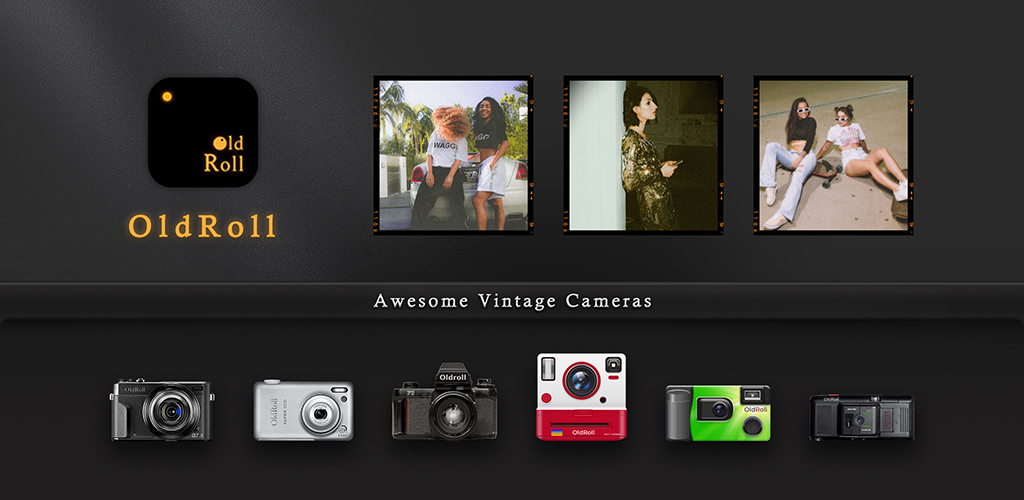
Zankhana’nın Film Camera uygulaması tek bir app’te on dört sanal gövde sunar: Ricoh GR tarzı negatif mod, Kodak FunSaver göndermesi, Hasselblad 500C selamı, Instax Mini görünümü, artık zorunlu CCD revival, slayt projektör simülatörü ve bir avuç daha. Vintage kamera uygulamalarının yaşadığı ana uyuyor: bir gövde seç, tüm rulo boyunca look’una bağlan, sonucu paylaş. Sorun, 2025’te eklenen neredeyse her yeni vintage uygulamadakiyle aynı: en güzel kameralar ve en temiz dışa aktarmalar abonelik arkasında; filigran ödeme yapana kadar kalır. Fikri beğenip fiyatı beğenmeyenler için Film Camera alternatifleri aynı alanı kapsar.
Bu rehber, vintage görünümlü fotoğrafçılar, sosyal paylaşım içerik üreticileri ve gündelik kullanıcılar için 7 Film Camera alternatifini karşılaştırır. Her seçim belirli bir dönemi hedefler: CCD dijital, tek kullanımlık, point-and-shoot, Pixeloop hareketi, film tonu presetleri veya güçlü retro modlu genel filtre kameraları.
Hızlı karşılaştırma
| Uygulama | En iyi | Ücretsiz plan | Başlangıç fiyatı | Platformlar |
|---|---|---|---|---|
| ProCCD | CCD dijital revival görünümü | Evet, filigranlı | Pro yaklaşık $4,99/ay | Android, iOS |
| Huji Cam | Tek kullanımlık kamera görünümü | Evet, tarih damgasıyla | Pro yaklaşık $2,99 tek seferlik | Android, iOS |
| NOMO CAM | Otantik film gövdesi simülasyonu | Evet, başlangıç kameraları | Pro yaklaşık $5,99/ay veya kamera başına IAP | Android, iOS |
| Loopsie | Hareketli foto ve Pixeloop video | Evet, reklamlı | Premium yaklaşık $4,99/ay | Android, iOS |
| VSCO | Film tonu ve presetler | Evet, on preset | VSCO+ yaklaşık $7,99/ay | Android, iOS |
| Camera360 | Vintage modlu genel kamera | Evet, reklamlı | VIP yaklaşık $4,99/ay | Android, iOS |
| Camera MX | Film filtreli ve hızlı düzenlemeli kamera | Evet, reklamlı | Pro yaklaşık $1,99 tek seferlik | Yalnızca Android |
İnsanlar neden Film Camera’dan ayrılıyor
Abonelik vitrin kameralarını kilitliyor. GRN, H 500C, FC 100 ve birkaç selam daha tam açılmak için Pro plan istiyor. Ücretsiz katman hızla tekrara düşen bir başlangıç seti sunuyor.
Paylaşılan fotoğraflarda filigran. Ücretsiz dışa aktarma köşede damga taşır. Kırpmak kolay ama Reels ve TikTok’ta belli olur.
Yoğun depolama kullanımı. Her kamera ve çerçeve paketi ayrı iner. Birkaç gövde denedikten sonra kurulum çoğu cihazda 200 MB’ı geçer.
Yalnızca çekim akışı. Mevcut fotoğraf içe aktarma yalnızca bazı kameralarda çalışır. Çoğu uygulamada çek ya da hiç.
Az gerçek dışa aktarma kontrolü. Çözünürlük ve en-boy oranı her kameranın gövdesine kilitlenir; paylaşmadan önce sınırlı ince ayar.
En iyi Film Camera alternatifleri
ProCCD, CCD dijital kamera revival görünümü için en iyi
ProCCD Film Camera’nın birçok seçeneğe yaydığı köşeye odaklanır: 2000’ler kameralarının yumuşak parıltısı, hafif bloom’u ve sıcak beyaz dengesiyle sadık CCD sensör simülasyonu. Arayüz rolller ve tarihlerle tek gövde; on dört kameralı büfe değil.
Eksik kaldığı yerler: Film Camera’dan daha dar. Ücretsiz dışa aktarmalarda filigran.
Fiyatlandırma:
- Filigran ve sınırlı rulo ile ücretsiz
- Tam sensör paketi ve filigransız için Pro yaklaşık $4,99/ay
- vs Film Camera: Film Camera Pro’dan ucuz, daha dar kapsam, daha derin CCD simülasyonu.
Film Camera’dan geçiş: CCD tarzı çekimler için ProCCD’ye geçin; slayt projektörü veya anında görünümler gerekiyorsa Film Camera’yı tutun. Her uygulama bir dilimi üstlenir.
Sonuç: CCD-revival estetiği için tek amaçlı seçim.
Huji Cam, tek kullanımlık film kamerası görünümü için en iyi
Huji Cam Manhole 2017’de tek kullanımlık kamera revival’ını başlattı ve o günden beri pek değişmedi; mesele bu. Tek gövde, tek görünüm, ışık sızıntıları, 1998 tarih damgası ve film kamerası gecikmesini taklit eden vizör. On dört kameralı menü istemeyenler için Huji orijinal.
Eksik kaldığı yerler: Yalnızca tek görünüm. Video yok. Ücretsiz katmanda reklam.
Fiyatlandırma:
- Banner reklamlar ve sabit görünümle ücretsiz
- Reklamsız ve ek tarih formatları için Pro yaklaşık $2,99 tek seferlik
- vs Film Camera: Film Camera Pro’dan ucuz tek seferlik açılış, tek görünüm, kütüphane yok.
Film Camera’dan geçiş: Kurun, tek kullanımlık çekimler için Huji’ye geçin. Kaydedilen fotoğraflar galeriye otomatik senkron olur.
Sonuç: Film Camera abartı gelmişse orijinal tek kullanımlık seçim.
NOMO CAM, geniş kütüphanede otantik film gövdesi simülasyonu için en iyi
NOMO CAM Blink Academy’nin mobildeki en derin film kamerası simülatörüdür. Her gövde gerçek bir kameraya selamdır: anında Polaroid, Kodak tek kullanımlıklar, slayt projektörleri, ikiz mercekli reflex, 35 mm point-and-shoot. Simülasyon Film Camera derinliğiyle eşleşir ve doğrulukta daha ileri gider.
Eksik kaldığı yerler: Depolama ağır. Tam kütüphane için Pro veya tek gövde için kamera başına IAP.
Fiyatlandırma:
- Başlangıç kamera setiyle ücretsiz
- Tam kütüphane için Pro yaklaşık $5,99/ay veya kamera başına tek seferlik IAP
- vs Film Camera: Benzer Pro fiyatı, daha derin bireysel simülasyonlar, daha geniş kütüphane.
Film Camera’dan geçiş: Film Camera favorinize uyan NOMO gövdesini seçin (Inst M → NOMO anında serisi, FC 100 → 35 mm point-and-shoot gövdeleri).
Sonuç: Otantik film gövdesi simülasyonuna önem verenler için en derin seçim.
Loopsie, hareketli foto Pixeloop ve 3D foto efektleri için en iyi
Loopsie Dazz Cam estetiğinin ödünç aldığı Pixeloop video efektini inşa etti. Seçici hareket dondurma, 3D foto ve kısa cinemagraph tarzı döngüler Film Camera’nın dokunmadığı dilimi kapsar: sabit kareler yerine vintage görünümlü hareketli görüntüler. Hayat isteyen Reels ve Story gönderileri için işe yarar.
Eksik kaldığı yerler: Gerçek bir sabit kamera alternatifi değil. HD dışa aktarma ve filigran kaldırma için Premium.
Fiyatlandırma:
- Filigran ve reklamla ücretsiz
- HD dışa aktarma ve filigransız için Premium yaklaşık $4,99/ay
- vs Film Camera: Film Camera Pro’dan ucuz, farklı kategori (hareket öncelikli), güçlü vintage hareket görünümü.
Film Camera’dan geçiş: Hareket gereken Reels ve Stories için Loopsie kullanın. On dört görünüm de istiyorsanız sabitler için Film Camera’yı tutun.
Sonuç: Vintage görünümlü video klipleri için hareketli foto seçimi.
VSCO, mevcut fotoğraflarda film tonu, gren ve presetler için en iyi
VSCO kategorinin kendini ölçtüğü uzun soluklu film tonu düzenleyicisidir. Ücretsiz katman on preset ve manuel ton araç seti sunar. VSCO+ tam film simülasyonu kütüphanesini açar: Kodak, Fuji, Agfa, Ilford, artı video presetleri.
Eksik kaldığı yerler: Fiziksel gövde simülasyonu yok, deklanşör taklidi yok, sanal vizör yok. Yalnızca ton ve gren.
Fiyatlandırma:
- On preset ve temel tonla ücretsiz
- Tam kütüphane ve video araçları için VSCO+ yaklaşık $7,99/ay
- vs Film Camera: Çoğu seçimden pahalı, daha geniş renk derecelendirme kütüphanesi, gövde simülasyonu yok.
Film Camera’dan geçiş: Mevcut fotoğrafı içe aktarın, film preset uygulayın, gren ayarlayın. Film Camera gövde görünümlerinin çoğunun eşleşen VSCO preset’i vardır.
Sonuç: Sanal gövdede yeniden çekmek yerine mevcut fotoğrafları derecelendirmek istiyorsanız VSCO.
Camera360, vintage ve CCD modlu genel kamera için en iyi
Camera360 film kamerası uzmanı değildir ama vintage mod ve CCD filtreleri gündelik kullanım için yeterince yakındır. Film Camera sanal gövdelere bağlanırken Camera360 normal kameranın üstüne filtre katmanlar; aynı uygulamada güzellik ve selfie modu isteyenlere uyar.
Eksik kaldığı yerler: Daha az otantik gövde simülasyonu. Güzellik modu vintage çekimlere sızar.
Fiyatlandırma:
- Reklam ve izleyerek açılan filtre paketleriyle ücretsiz
- Tam paket ve reklamsız için VIP yaklaşık $4,99/ay
- vs Film Camera: Film Camera Pro’dan ucuz VIP, daha geniş kapsam, daha az otantik vintage simülasyonu.
Film Camera’dan geçiş: Vintage filtre seçin ve rulo boyunca ona bağlı kalın. Kaydedilen fotoğraflar galeriye aktarılır.
Sonuç: Vintage, güzellik ve günlük çekim için tek kamera istiyorsanız Camera360.
Camera MX, film filtreli ve yerleşik düzenleyicili kamera için en iyi
Camera MX Live Shot modu ve yerleşik düzenleyiciyle birlikte film ve vintage filtre paketleri sunar. Çekimden filtreli dışa aktarmaya en basit yolu isteyenler için abonelik yerine tek seferlik Pro ile Film Camera’dan daha hafiftir.
Eksik kaldığı yerler: Yalnızca Android. NOMO veya ProCCD’den daha az vintage simülasyon derinliği.
Fiyatlandırma:
- Reklamla ücretsiz
- Reklamsız için Pro yaklaşık $1,99 tek seferlik
- vs Film Camera: Film Camera aboneliğinden ucuz tek seferlik Pro, daha hafif uygulama, daha zayıf otantiklik.
Film Camera’dan geçiş: Camera MX’i kurun, carousel’den film filtresi seçin, çekin. Hareket istiyorsanız Live Shot kısa pre-shutter klip ekler.
Sonuç: Film Camera fazla özelleşmiş gelmiş ve film filtreli genel kamera istiyorsanız Camera MX.
Film Camera alternatifleri arasında nasıl seçilir
CCD-dijital revival görünümünü tek uygulama odağında istiyorsanız ProCCD’yi seçin. Kameralar inandırıcı kalır ve dışa aktarma kalitesi sosyal paylaşım kullanımına uyar.
Tek kullanımlık kamera estetiği asıl mesele ise Huji Cam’i seçin. Trendi o başlattı ve hâlâ en temiz tek görünümlü ücretsiz kamerayı sunuyor.
Doğru film ve point-and-shoot gövdelerden oluşan, güçlü simülasyon derinliğine sahip bir kütüphane istiyor ve tek Pro aboneliği yerine kamera başına tek seferlik IAP tercih ediyorsanız NOMO CAM.
Dazz Cam hareketli foto hissini, sabit kare simülasyonu yerine Pixeloop video efektleriyle istiyorsanız Loopsie.
Fiziksel gövde simülasyonu yerine çoğunlukla film tonu, gren ve pozlama istiyorsanız VSCO. Presetler mevcut fotoğraflarda çalışır.
On dört gövdenin tamamını tek uygulamada özellikle istiyorsanız ve Pro fiyatı çekim hacminize uygunsa Film Camera’da kalın.
SSS
Ücretsiz Film Camera alternatifi var mı? Evet. Huji Cam temel deneyimde ücretsiz; tek tek kullanımlık kamera görünümü ve tarih damgasıyla. Loopsie kullanılabilir ücretsiz katman sunar. VSCO ücretsiz katmanda on preset ve temel ton araçları verir.
CCD dijital kameralar için en iyi alternatif hangisi? ProCCD. Son vintage uygulama dalgasını süren CCD-revival görünümüne özellikle odaklanır; genel vintage filtreler yerine doğru sensör simülasyonlarıyla.
Hangi alternatif Dazz Cam hareketli foto estetiğini destekler? Loopsie. Pixeloop efekti Dazz Cam hareketli kare görünümüne en yakın uygulama içi eşleşmedir. Sabit fotoğraflarda ve kısa video kliplerinde çalışır.
Mevcut fotoğrafları içe aktarıp vintage görünümler uygulayabilir miyim? Mevcut fotoğrafları içe aktarma ve film preset uygulama için en güçlü seçim VSCO. Huji Cam ve ProCCD önce çekim odaklıdır. NOMO CAM içe aktarmaları birkaç kamerada çalışır, hepsinde değil.
Bu vintage kamera alternatifleri reklamsız mı? Huji Cam ücretsiz katmanda reklam gösterir. ProCCD, NOMO CAM ve Loopsie daha hafif reklam yükü taşır. VSCO’da banner reklam yok ama ücretsiz preset seti küçük.
Zankhana’nın Film Camera uygulaması video içeriyor mu? Evet, birkaç kamera kısa video klipleri kaydeder. NOMO CAM ve Loopsie kendi kategorilerinde eşdeğer video kullanım senaryosunu karşılar.